
Cocos Creator Component -- Camera Follow Effect + Platform Player Controller
A downloadable Cocos Component for Windows
📌 Introduction
Camera Follow Pro is a professional-grade camera system built for Cocos Creator 2D games, designed to make your gameplay feel smooth, dynamic, and cinematic — without writing complex logic.
This package includes:
- 🎥 Advanced Camera Follow System
- 🧍 Platform Player Controller (Extended Version)
- ⚡ Plug & Play setup (No heavy coding required)
Perfect for:
- Platformer games
- Action games
- Boss battle scenes
- Co-op / 2 player games
----------------------------------------------------------------------------------------------------------
🎮 Supported Function
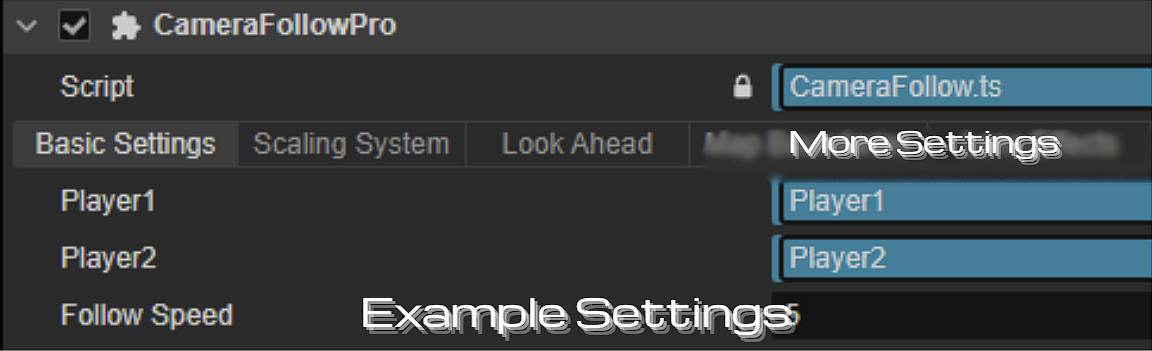
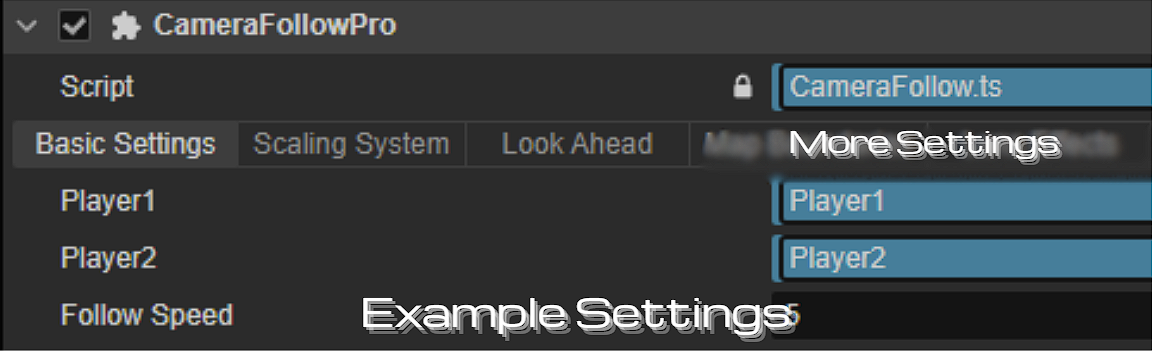
- Basic Settings
- Scalig System
- More Settings
All effects can be freely combined and enabled.
----------------------------------------------------------------------------------------------------------
✅ Installation
- Drag CameraFollowPro.ts into your project's assets directory.
- Waiting for Cocos Creator to compile automatically.
- Open the sample scene (Test Scene) to test.
----------------------------------------------------------------------------------------------------------
🛠️How to Use
- Add Camera Follow Pro.ts to your Camera node
- Assign:
- Player1 (required)
- Player2 (optional)
- Choose Camera Mode:
- FOLLOW / PLATFORM
- (Optional) Add:
- Boundaries
- Boss Zone
- Press Play 🎮
----------------------------------------------------------------------------------------------------------
👥 Multiplayer Support
- Supports 2-player tracking
- Auto center between players
- Smart zoom based on distance
----------------------------------------------------------------------------------------------------------
Developer Friendly
- Clean inspector grouping
- Minimal setup required
- Highly customizable parameters
- No extra dependencies
----------------------------------------------------------------------------------------------------------📦 Included Files
- CameraFollowPro.ts
- Platform Player Controller (Extra)
- Demo Scene
----------------------------------------------------------------------------------------------------------
🏃 About Platform Player Controller.ts (Extra)
This Player Controller.ts is using for platform game, includes function move and jump.
----------------------------------------------------------------------------------------------------------
🎦 Test Scene
This resource contains a test scenario:
- Demonstrating all Camera effects
- You can run it directly to see the effect.
- New users are advised to check out the Test Scene first.
----------------------------------------------------------------------------------------------------------Why Choose This?
Unlike basic camera scripts, this system provides:
- Cinematic boss transitions
- Multiplayer adaptability
- Professional-level smoothness
- Fully inspector-driven workflow
👉 Save hours of development time.
----------------------------------------------------------------------------------------------------------
⚠ Notes
- This component is based on Cocos Creator 3.x
- Please ensure that the button node contains a Camera component.
----------------------------------------------------------------------------------------------------------
❓ FAQ
Q: How many players does this component support? A: It supports single-player and two-player game modes by default. If both player1 and player2 are assigned, the camera will automatically center between the two players and scale automatically based on the distance between them.
Q: How do I select the camera mode?
A: The component offers three modes:
- FOLLOW — Smoothly follows the player, suitable for most action/platform games.
- PLATFORM — Follows horizontally, with a vertical dead zone, suitable for classic platforming games.
- BOSS_LOCK — Automatically locks the camera position when entering the boss area, can be used with player locking functionality.
You can select these modes in the Camera Mode dropdown menu in the Inspector.
Q: Does the camera automatically zoom? A: Yes, when Two-Player Mode is enabled, the camera will automatically zoom based on the distance between the two players. Minimum/maximum zoom values and zoom speed can be set in the Scaling System. In Single-Player Mode, the camera maintains a fixed minimum zoom.
If you have any questions, feel free to leave me a message on my Discord website!
📩 Contact:
Discord: KEN LOO
(Add me as a friend to message)
----------------------------------------------------------------------------------------------------------
📄 License
- Allowed for use by individuals and commercial projects
- Resale or redistribution of the source code is not permitted.
----------------------------------------------------------------------------------------------------------
❤️ Support
If you encounter any problems while using it, feel free to leave a comment below. Thank you for using Camera Follow Effect! More updates are coming soon!
Purchase
In order to download this Cocos Component you must purchase it at or above the minimum price of $1.25 USD. You will get access to the following files:
Leave a comment
Log in with itch.io to leave a comment.